The Well design system
Colors, typography, components, and motion. The building blocks behind every Well surface.
Logo
The marks, the room each one needs, and the surfaces they are cleared for.
Logo variations
Download any variation, or copy its permanent link to paste where another product asks for a logo or icon URL. The icon tiles are the ones to use for that: they carry a background, so the mark stays visible whatever the surface.

White logo

Black logo

White symbol

Black symbol

White icon

Black icon
Typography
Inter, at every weight and size the product and the site draw from.
Inter is our sole typeface across product and marketing.
Connect all your business data
ABCDEFGHIJKLMNOPQRSTUVWXYZ
abcdefghijklmnopqrstuvwxyz 0123456789
Connect all your business data
ABCDEFGHIJKLMNOPQRSTUVWXYZ
abcdefghijklmnopqrstuvwxyz 0123456789
Usage
$12,480
Bento stats and hero figures. Above the text scale.
$12,480
Smaller bento stats. Above the text scale.
Well works while you live
The home hero's headline. Grows with the window, from 40px to 72px.
Well calls your suppliers
The home strip hero's headline. As display-fluid, smaller on a narrow phone so it keeps two lines.
Business intelligence
Largest step of the shared scale. Marketing pages stop at 4xl.
Business intelligence
Page titles, hero headlines. The top of the marketing scale.
AI-powered automation
Section headers and subcopy pairs
Dashboard overview
Card headers, dialog titles
Connectors
Subsection headings, feature labels
Recent activity
Section row heads beside body copy. Same size as 2xl at weight 400.
Well connects your banking, accounting, and invoicing tools into a single hub. It gives business teams real-time visibility without the manual work.
Lead paragraphs, feature descriptions
Automatically extract line items, match invoices to purchase orders, and flag discrepancies before they become problems.
Body text, paragraphs, descriptions
Last synced 2 minutes ago · 3 new transactions
Secondary text, metadata, table cells
v2.4.1 · Terms · Privacy
Captions, labels, footer links
Badge labels, compact UI
Small badges, dense layouts
Axis labels, chart ticks
Chart ticks and tight metadata
Micro labels
Smallest text, rare use
Monospace
Use font-mono for code, identifiers, and keyboard keys. It reads the --font-mono Tailwind token: the system monospace stack, with no web font to load.
invoice_2026-10-09.pdf
ABCDEFGHIJKLMNOPQRSTUVWXYZ abcdefghijklmnopqrstuvwxyz 0123456789
ui-monospace, SFMono-Regular, Menlo, Monaco, Consolas, "Liberation Mono", "Courier New", monospace
Sentence case
Capitalize only the first word and proper nouns.
Do
Connect all your business data
AI-powered automation
Don't
Connect All Your Business Data
AI-POWERED AUTOMATION
Text balance
All headings and short copy blocks use text-wrap: balance to distribute words evenly across lines and avoid awkward orphans.
Do: Balanced
Connect all your business data in one place. 60+ connectors, AI-powered automation, and workflows for modern business teams.
Don't: Unbalanced
Connect all your business data in one place. 60+ connectors, AI-powered automation, and workflows for modern business teams.
Tabular numbers
Use tabular-nums lining-nums on any element that displays numerical data. Equal-width, uniform-height digits prevent layout jiggle and keep columns aligned.
Do: Tabular
1,234.56
7,890.12
Don't: Proportional
1,234.56
7,890.12
Optical sizing
Inter is a variable font with an opsz axis. With font-optical-sizing: auto the browser adjusts stroke thickness, contrast, and spacing for each size. Thicker strokes for small text, more delicate forms for large.
Do: Optical sizing
Business intelligence
Automatically adjusts weight and contrast per size
Caption: thicker strokes for legibility at small sizes
Don't: None
Business intelligence
Same glyph outlines regardless of rendered size
Caption: thinner strokes may reduce legibility
Text pairings
Which heading size pairs with which body size and color. Follow these exactly for consistent hierarchy.
Live specimens
Section header (centered)
Turn connected data into business clarity
Once your data flows into Well, everything becomes searchable, visual, and automated.
Card title + description
Smart document processing
Drop invoices and PDFs. AI extracts line items, amounts, and dates automatically.
Stat number
10,000+
Banks and financial institutions
Colors
One dark grayscale ramp, and the surface, text and status tiers built on it.
Scale
One dark grayscale ramp powers every surface, border, and text tier. Each step is a real class now, gray-100 through gray-900: click one to copy its name.
Surfaces
Elevation is a one-step walk up the ramp. Here one Well card is taken apart: each plate is a real part of it, lifted to the surface it sits on.
- surface-level-3#3e3e3eRow menu · highest
- surface-level-2#232323Active tab · nested panel
- surface-inset#141414Search input · recessed well
- surface-level-1#1c1c1cCard
- surface-level-0#161616Product surface
- gray-900#101010Page
Text
Four working tiers from headline to metadata, plus functional tones. Each row renders its own token.
Status
Each status ships as three tokens: a text color, a background and a border. The product's badge draws the first two. Status colors mark state only, so buttons, controls and accents stay grayscale.
Success
Positive outcomes: posted, reconciled, paid
Warning
Needs attention: pending review, partial states
Danger
Errors, overdue items, destructive actions
Info
Syncing, in-progress and informational states. Icons and label pills may use it; controls, links and focus rings stay grayscale
Borders
Alpha-white borders adapt to the surface beneath them; border-solid is the opaque hairline for dense UIs.
Charts
Two series colors for a comparison, assigned in a fixed order, and a five-step ramp for a breakdown, with chart-muted closing it as Other. Values and labels stay in the text colors; the color sits on the mark beside them.
Cash in and cash out
Last six months, EUR
- Cash in€58,400in Sep
- Cash out€37,300in Sep
Spend by category
August and September, EUR
Share in Sep
- Payroll38%
- Software21%
- Marketing14%
- Travel9%
- Office7%
- Other11%
Series, assigned in this order
Mix ramp, darkest step for the largest share
Other, which closes a mix
Dividers and tracks
An etched divider pairs a dark groove with a light highlight for a carved edge. track-subtle is the plain hairline under tabs and stacked rows (the divide-website recipe).
Etched groove edge
track-subtle hairline (divide-website)
Fills and interaction states
Every fill family steps one alpha up on hover and one more on press. Try the live sample, then copy the triplet.
Contrast
WCAG contrast for the working text tiers on each surface level, computed from the token values. 4.5 passes AA for body text; 3.0 passes for large text.
AA+ marks pairs that pass only at large sizes. Quaternary and below are for non-essential metadata.
Status pairs, text on bg composited over surface-level-1
Do and don't
The rules below, shown side by side. Same intent, one version reads correctly.
Status colors ship as a triad, not a bg alone
Do
PostedDon't
PostedBody copy uses text-secondary or higher, not text-quaternary
Do
Connect all your business data.
Don't
Connect all your business data.
Reach for a token class, not a raw hex or default palette step
Do
Don't
Layout & elevation
The space, corners, depth, screen widths and timing every layout is cut from.
Spacing
One 4 px unit. Padding, margin, gap and size utilities all multiply it.
Scale · 1 unit = 4 px
- 4 px
- 8 px
- 12 px
- 16 px
- 20 px
- 24 px
- 32 px
- 40 px
- 48 px
- 64 px
- 80 px
- 96 px
Layout tokens
- 16 px
Container side padding. Widens at sm and lg.
- 16 px
Column gap of the 12-column grid. Widens at sm.
Radius
Corner steps, all derived from one root radius so a card and its chips round together.
- 2 px0.125rem
- 4 pxcalc(var(--radius) - 4px)
- 6 pxcalc(var(--radius) - 2px)
- 8 pxvar(--radius)Cards and chips. This is --radius, the root every smaller step derives from.
- 12 px12px
- 16 px16px
- 24 px24px
- 32 px2rem
Elevation
Depth on a dark ground comes from edges that catch light, then a cast shadow where a block floats.
Flat card: a top highlight, an inner hairline and an outer hairline. The default.
inset 0 1px 0 0 oklch(1 0 0 / 0.02), inset 0 0 0 1px oklch(1 0 0 / 0.02), 0 0 0 1px oklch(0 0 0 / 0.25)The same highlight and inner hairline with no outer edge, for a card inside a card.
inset 0 1px 0 0 oklch(1 0 0 / 0.02), inset 0 0 0 1px oklch(1 0 0 / 0.02)Flat card plus a soft cast shadow, for a card that sits above its neighbours.
inset 0 1px 0 0 oklch(1 0 0 / 0.02), inset 0 0 0 1px oklch(1 0 0 / 0.02), 0 0 0 1px oklch(0 0 0 / 0.25), 0 4px 16px -2px oklch(0 0 0 / 0.25)A long, faint cast shadow for a large hero card.
inset 0 1px 0 0 oklch(1 0 0 / 0.02), inset 0 0 0 1px oklch(1 0 0 / 0.02), 0 0 0 1px oklch(0 0 0 / 0.18), 0 24px 72px -28px oklch(0 0 0 / 0.11)For a card darker than its frame: a brighter inner edge and a deeper outer edge.
inset 0 1px 0 0 oklch(1 0 0 / 0.04), inset 0 0 0 1px oklch(1 0 0 / 0.04), 0 0 0 1px oklch(0 0 0 / 0.35)Dark-frame card plus a cast shadow.
inset 0 1px 0 0 oklch(1 0 0 / 0.04), inset 0 0 0 1px oklch(1 0 0 / 0.04), 0 0 0 1px oklch(0 0 0 / 0.35), 0 4px 16px -2px oklch(0 0 0 / 0.4)A showcase window floating over a lit scene: rings, a contact shadow and one hero lift.
inset 0 1px 0 0 oklch(1 0 0 / 0.06), 0 0 0 1px oklch(0 0 0 / 0.3), 0 2px 4px oklch(0 0 0 / 0.4), 0 4px 12px oklch(0 0 0 / 0.15), 0 24px 48px -16px oklch(0 0 0 / 0.4)
Breakpoints
Where the layout changes, and the grid spacing in force at each width.
Utilities apply from their breakpoint up, so write the smallest layout first.
- basebelow sm0 pxGutter 16 px · column gap 16 px
- --breakpoint-sm640 px · 40 remGutter 24 px · column gap 24 px
- --breakpoint-md768 px · 48 remGutter 24 px · column gap 24 px
- --breakpoint-lg1024 px · 64 remGutter 40 px · column gap 24 px
- --breakpoint-xl1280 px · 80 remGutter 40 px · column gap 24 px
- --breakpoint-2xl1536 px · 96 remGutter 40 px · column gap 24 px
The content grid has 12 columns and stops at 1280 px.
Motion
The durations and easings Well moves with, and the rule every animation follows.
With reduced motion on, the dots jump instead of travelling.
Durations
- 150 msHover and focus. Every bare transition.
- 320 msThe hamburger morph.
- 320 msSheets and overlays.
- 400 msContent fading in.
- 500 msThe logo and hero entrance. Rare.
- 1250 msThe stripe that crosses a loading placeholder and a line of status text.
Easings · each plays over 800 ms
- cubic-bezier(0.4, 0, 1, 1)Leaving the screen.
- cubic-bezier(0, 0, 0.2, 1)Arriving on screen.
- cubic-bezier(0.4, 0, 0.2, 1)Moving between two points on screen.
- cubic-bezier(0.32, 0.72, 0, 1)The hamburger morph.
- cubic-bezier(0.32, 0.72, 0, 1)Sheets and overlays.
- cubic-bezier(0.16, 1, 0.3, 1)The logo and hero entrance.
Every animation respects the reduced-motion setting.
Do
Gate loops and entrances on usePrefersReducedMotion and render the finished state.
Don't
Run a loop or an entrance that plays the same for everyone.
The animation guide
The layers a hero is built from, the scenes, and the video scenes, with live demos.
Components
The primitives every Well surface is assembled from, and how they behave.
Button
Variants
primaryThe main action on a surface. Use one per view.secondaryA supporting action. A faint border and a raised surface.tertiaryA quiet action with no border. Sits inside dense rows.dangerA destructive action. Status colour, not decoration.ghostA quiet action with no fill at rest. Takes the primary ink on hover.filterA toggle that narrows a list. Fixed height, bordered.linkAn inline action that reads as text and underlines on hover.Sizes
lgLarge. Form submits and hero actions.mdMedium. The default.smSmall. Toolbars and cards.xsExtra small. Dense tables and chips.With icons
Badge
States. Success, error, warning and info are status colours, not decoration.
neutralNo status. The default.successStatus: the thing worked or is healthy.errorStatus: the thing failed or needs action.warningStatus: the thing needs attention soon.infoStatus: neutral information that is not good or bad.Sizes
mdMedium. The default.smSmall. Inside tight rows.chipThe enum chip: a categorical value in a table cell, with a 4px corner.Types
defaultA filled pill that carries a state.activityA status dot and ink with no surface. Takes no size.Card
Static card with 8px radius, no border and no hover state. Used across the website.
Every container on this site is a card. Wear WebsiteCard, or apply WEBSITE_CARD_SHELL where the element is not a div, such as a link. Never restate the border, radius and surface by hand.
Tabs
Segmented: switches a view or a filter over one panel
The records as rows and columns.
Underline: switches the panel below
Content for the first tab.
Tooltip
Hover to see tooltip
Form controls
Switch
Checkbox
Text input
States
Enter a valid email address
With label and hint
We reply within a day
What each state adds to the base recipe
- filled
font-medium - disabled
opacity-60 cursor-not-allowed hover:bg-bg-secondary - error
ring-1 ring-text-danger focus-visible:ring-text-danger
The site does not import this component yet. The roster forms under about/roster-application and the taxes preview hand-write a raw input with its own class string. Build new forms on InputText.
Select
Trigger sizes
Placeholder and disabled
No marketing page uses a select. The internal video studio and animation lab fall back to the native element. Use this component for any new choice from a list.
Dialog
Open state
Live: opens over the page, closes on Escape
The team case-study brief and the media-kit photo preview open this component.
Toast
The site mounts no Toaster, so no page raises a toast. Copy actions confirm inline with the check icon in the path pill above. The product toast lives in sonner.tsx. Mount its Toaster in the layout before the first page needs one.
Table
The records table from the product: its grid, its header cell and every cell a record can show. These are the real components from @wellapp/ui and @wellapp/ai-elements, fed the way the records pane is fed.
Records grid: header, rows and the cell each column declares


Identity: a record's name, with its logo or avatar

company_logo_namepeople_avatar_nameworkspace_name
connector_logo_nameAmounts and dates
currency_amountamountdateStatus: the product's own labels and colours for an invoice's payment
status_badgestatus_badgestatus_badgestatus_badgestatus_badgeFiles and summaries
file_preview_urlrecord_summaryLists and text
record_listtextStyling, read from the source
- RowEvery row is 37px tall
h-[37px] - CellPrimary text on the base surface, tight padding, one line
text-sm text-text-primary leading-[0] bg-surface-level-0 px-1.5 pt-[6px] pb-[7px] max-w-none whitespace-nowrap shrink-0 overflow-hidden - HeaderSecondary text at regular weight, the same padding as a cell
text-sm font-normal text-text-secondary leading-[0] px-1.5 pt-[6px] pb-[7px] whitespace-nowrap shrink-0 bg-surface-level-0 border-0 - ColumnsData columns are 200px with a divider; the first column is 300px
border-r border-border-solid last:border-r-0 w-[200px] min-w-[200px] max-w-[200px] overflow-hidden · w-[300px] min-w-[300px] max-w-[300px] - Row separatorAn inset shadow, not a border, so it combines with the selection shadow
inset 0 -1px 0 var(--color-border-solid) - PillAn identity, a file or an amount sits in a pill
h-6 rounded-lg border py-0.5 border-transparent inline-flex items-center max-w-full overflow-hidden pl-1 pr-1.5 [&_mark]:leading-tight - Bare valueA date, a plain amount or a status sits on the cell without a pill
h-6 pl-1 pr-1.5 py-0.5 inline-flex items-center - Ledger densityThe grid's density: xxs avatar, muted
text-sm gap-2
The records pane in the app, and the records card Well shows in a conversation.
The app's records table and its own cell components live in the web app, so this page draws the shared grid and cell they are built on. Two differences remain: the app draws a status badge at the medium size, and it sets dates and amounts at 14px where the shared cell uses 12px.
Provenance pill
The value of one settings row in the product. The disc states how sure Well is, the flag and the value state what is held, and the suffix states who put it there. These are the real components from @wellapp/ai-elements.
Source suffix
Entity badge
Flag
Confidence
Settled: keeps its colour, opens nothing
Styling, read from the source
- ShapeFull radius, auto height, compact padding, extra-small type
h-auto max-w-full rounded-full border-border-low px-2.5 py-1 text-xs - Pill box24px tall, rounded corners, a 1px rule
h-6 rounded-lg border py-0.5 - BaseWide gap, regular weight, relaxed line height
px-2 gap-2 text-sm font-normal leading-5 - Holds a valueSubtle grey fill, primary text, tertiary icons
bg-bg-subtle border-border-low text-text-primary [&_svg]:text-text-tertiary - EmptyNo fill and no border until hover, secondary text
text-text-secondary [&_svg]:text-text-tertiary bg-transparent - Source suffixTertiary text after a middle dot
shrink-0 text-text-tertiary - FlagFixed small size, slightly rounded corners
h-3 w-4 shrink-0 rounded-[2px] - Entity badgeSmall disc on the level-3 track, ringed by the level-2 surface
ring-2 ring-surface-level-2 - Confidence levelInfo fill rising from the bottom, capped below 100%
absolute inset-x-0 bottom-0 bg-text-info - Confirmed discSolid success fill
bg-text-success
The accounting-settings and customer e-invoicing cards in the product.
Separator
Full-width separator
Content above the divider
Content below the divider
Skeleton
Loading placeholders
Do and don't
Two examples of one rule, side by side. The cards stay grey. Only the label and its icon carry green or red.
Numbers use tabular figures
Do
1,234.56
Don't
1,234.56
Interaction polish
Tap targets are at least 44px
Small visuals get padded hit areas, never smaller targets
Do
16px icon in a 44px hit area
Don't
16px icon in a 24px hit area
Hover enhances, never enables
Core functionality works without hover, and hover effects stay off touch devices
Do
Always visible; hover only deepens the fill
Don't
Hidden until the pointer arrives, so touch never finds it
No left stripes or accent bars
Cards and callouts never carry a colored left edge; status shows through the label, badge, or icon
Do
Don't
Focus is always visible
Keyboard users get a clear focus-visible ring on every interactive element
Do
Focus ring drawn
Don't
outline: none, nothing marks the focused control
Inputs are 16px or larger on mobile
Smaller text sizes trigger automatic zoom on iOS
Do
16px: iOS leaves the page alone
Don't
14px: iOS zooms in on focus
Icons
One icon set, at the sizes and stroke widths Well draws it.
Icon library
All icons come from lucide-react. Use consistent sizing and stroke widths.
Sizing combinations
Card icon (contained)
Container: size-8 (32px) · Icon: size-4 (16px) · strokeWidth: 1.5
Navigation icon
No container · Icon: size-6 (24px) · strokeWidth: 1.5
Button icon
No container · Icon: size-4 (16px) · strokeWidth: 1.5
Inline icon (external links)
No container · Icon: size-4 (16px) · strokeWidth: 1.5
Stroke width
Lucide defaults to strokeWidth=2. We use strokeWidth={1.5} globally on every Lucide icon across the website for a lighter, more refined appearance.
Contained, strokeWidth 1.5
Thinner stroke balances the visual weight of the container background
Standalone, strokeWidth 1.5
Same weight for navigation, buttons, and inline icons
Icon colour
Interface chrome is grey: navigation, buttons, controls and decoration use text-text-secondary on bg-surface-level-2. An icon or icon tile takes colour only when it states a fact: a status, or the product area it belongs to. Status tones read from the status tokens. Area tiles read from the status tokens through tile-* and from the categorical cat-5 and cat-7 tokens. Fill and icon come from the same tone, so a tile never mixes two families. The tile keeps one shape in every tone: size-8, rounded-lg, a size-4 icon at strokeWidth 1.5.
Grey
UI chrome: navigation, buttons, controls, decoration, and a product area with no colour meaning.
text-secondarysurface-level-2
Success
Positive outcomes: posted, reconciled, paid
text-successbg-success
Warning
Needs attention: pending review, partial states
text-warningbg-warning
Danger
Errors, overdue items, destructive actions
text-dangerbg-danger
Info
Syncing, in-progress and informational states. Icons and label pills may use it; controls, links and focus rings stay grayscale
text-infobg-info
Blue
Product area tile: reconciliation.
tile-blue-icontile-blue
Green
Product area tile: invoicing.
tile-green-icontile-green
Amber
Product area tile: taxes.
tile-amber-icontile-amber
Red
Product area tile: spend.
tile-red-icontile-red
Violet
Product area tile: close.
cat-5-fgcat-5
Cyan
Product area tile: fpa.
cat-7-fgcat-7
Connector icons keep the provider logo, and chart series use the chart tokens. Neither takes a status or tile tone. Controls, links and focus rings stay grey, even for the info tone.
Colour answers a question
Do
Reconciled: a status, so success
Don't
Search: a control, so it stays grey
One family per tile
Do
Fill and icon both from warning
Don't
Success icon on a danger fill
Coloured tiles on the site
The agents page renders these with the shared FeatureCard, one category tone per card.
Institutional memory
Every rule, exception, and correction will be stored permanently. When a team member leaves, the knowledge stays.
Always-on operations
Your fleet will work weekends, holidays, and across time zones, so the team starts fresh every morning.
Full accountability
Every agent action will be logged with its reasoning. You will always know what happened and why, and you can override any decision.
Icon catalogue
The Lucide icons the website imports today, with the number of source files that use each. Pick from this list before adding a new icon. Select an icon to copy its import line. The list is generated by npm run icons:emit, and lint fails when it is stale.
Photography
How Well photographs people, and the reference sheet of every recurring character.
Photo direction
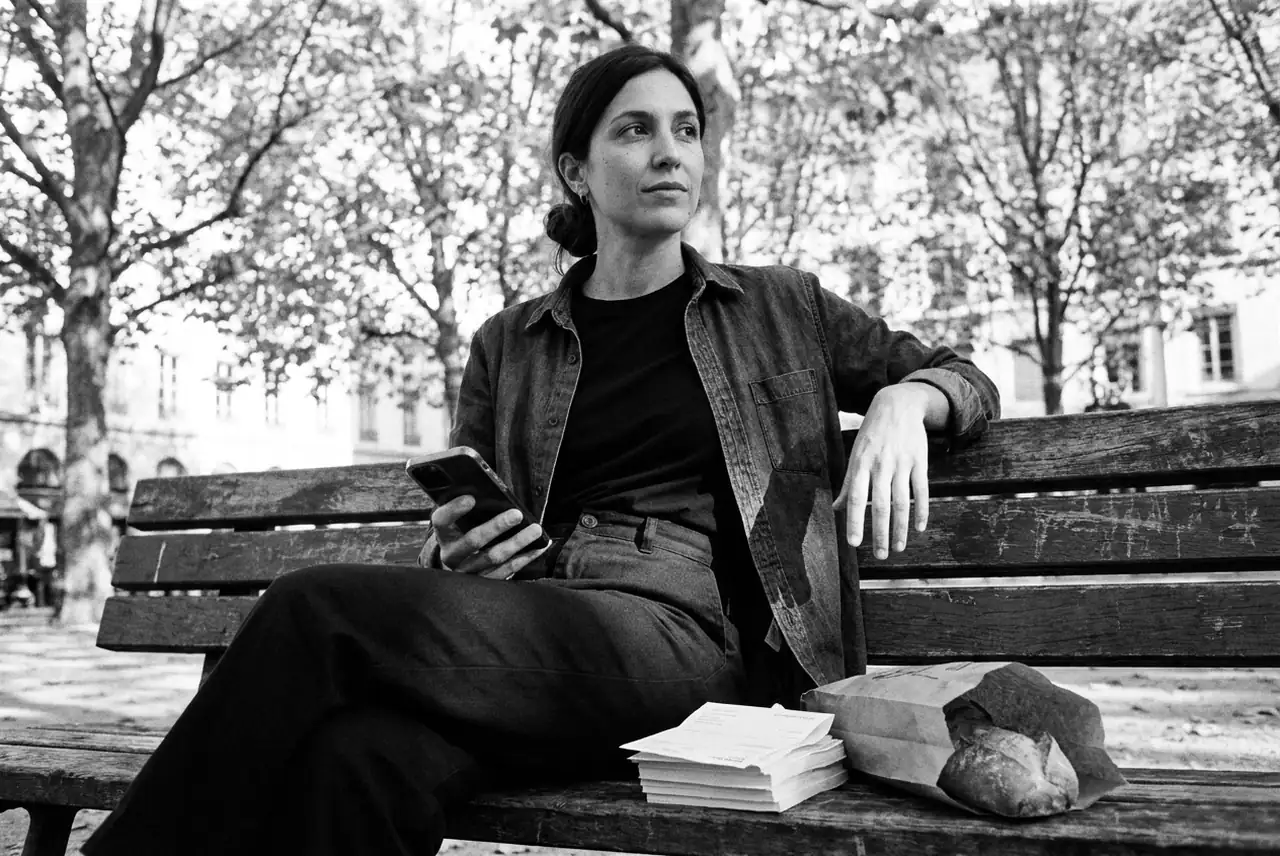
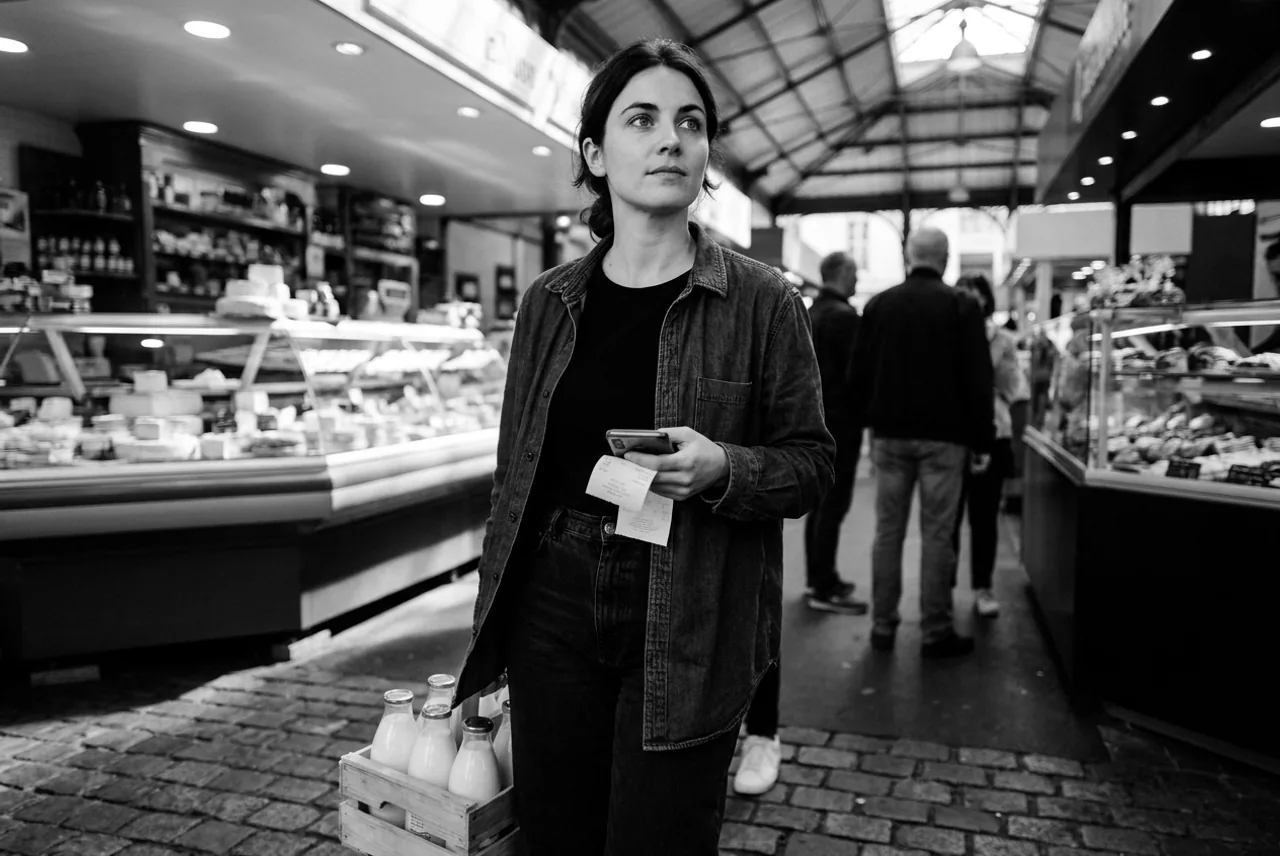
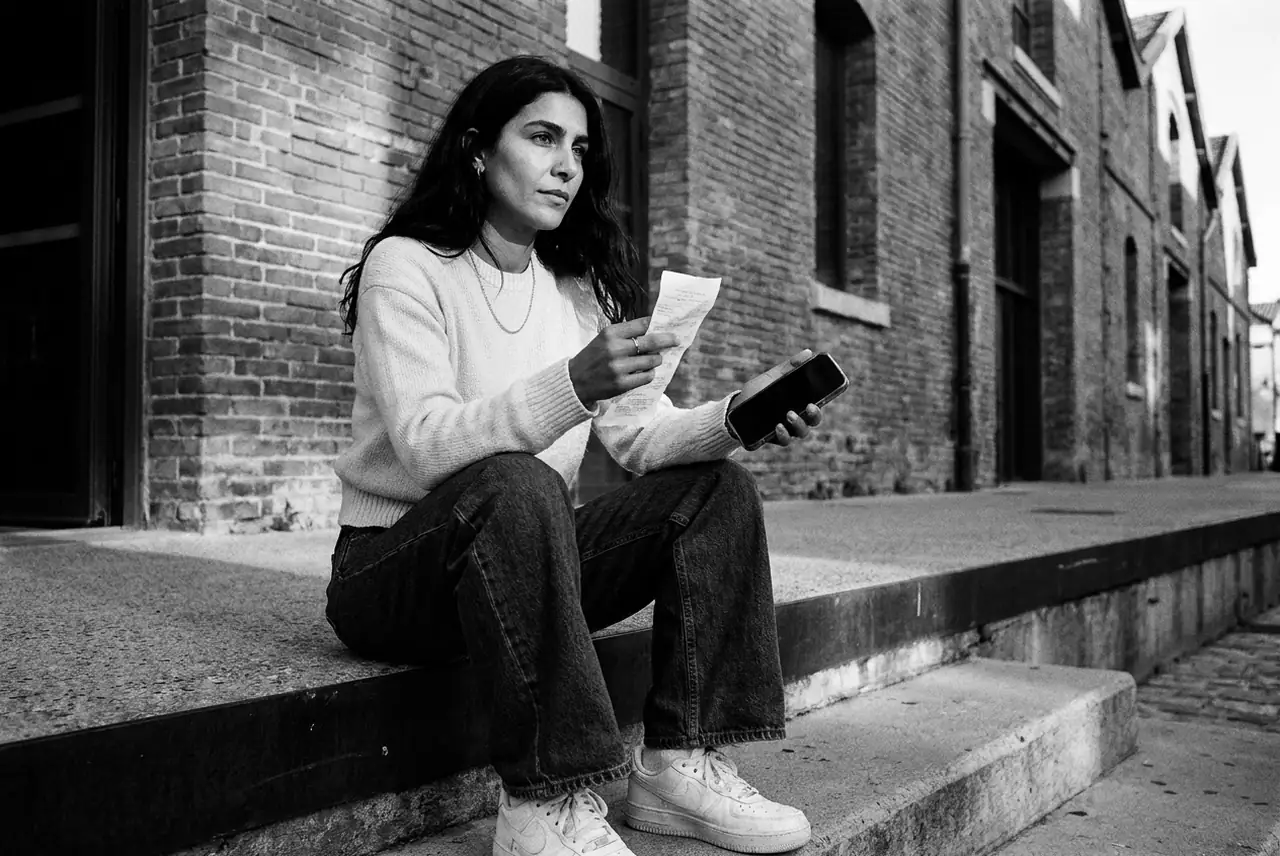
Every photo of a person on the site is one documentary moment of their day, in black and white.
A real moment
Show the moment of the day that causes the ask, at its hour, in a real place of the character's city. Nothing is staged for the camera.
A lived-in place
The space around the person stays clear. In a public place a few people may appear far in the background, small and blurred, never near the person and never facing the camera.
Objects stay home
A character's personal object appears only in a scene at home, where it really lives. Rules and prompts never name it otherwise, since a named object turns up in the frame.
Black and white, one light
Pure black and white with deep blacks and fine grain, like 35 mm film. One hard key light casts real shadows: a low sun, a window or a lamp, never flat daylight.
Vary the shot
Each photo names one shot from the shot list. A set never shows the same shot twice in a row, and the person moves between the thirds of the frame. The one exception is a strip that crops to its centre: every panel there uses the centred shot.
The face sets the crop
Each photo records where the face sits, across and down. A narrow crop, such as a closed hero card, centres on the across point. A wide crop, such as a hero card on a phone, moves down to the face, so it sits above the card's text.
Room for the words
Text often sits over the lower part of a photo. The face, or the hands in a hands shot, stays in the upper half, and the bottom third is quiet ground: a floor, a table, a pavement or water. In a wide shot the person stands high in the frame, further up the street or the stairs, never at the bottom edge.
The phone, never the screen
The phone is in the hand or near it. The screen never faces the lens and never shows text.
The same person every time
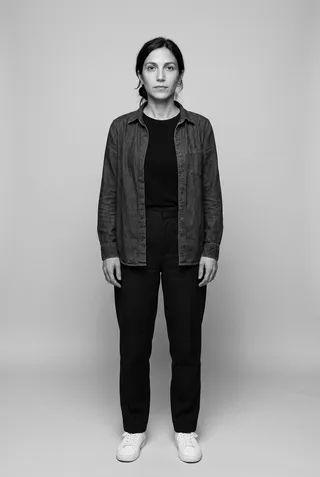
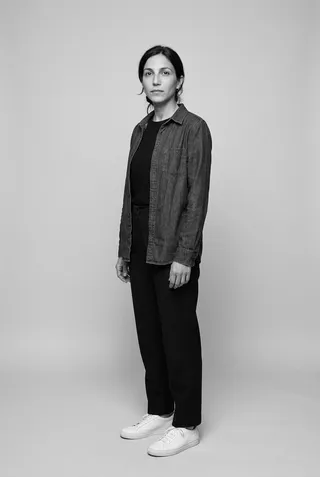
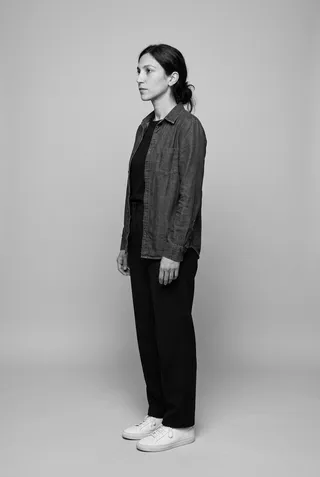
Every photo of a character starts from their reference sheet: the same face, hair, build and signature outfit.
An invented world
Every person and every business is fictional. No logo, no brand name, and no sharp face but the character's.
Shot list
Every photo names one of these shots, and a set never shows the same shot twice in a row.
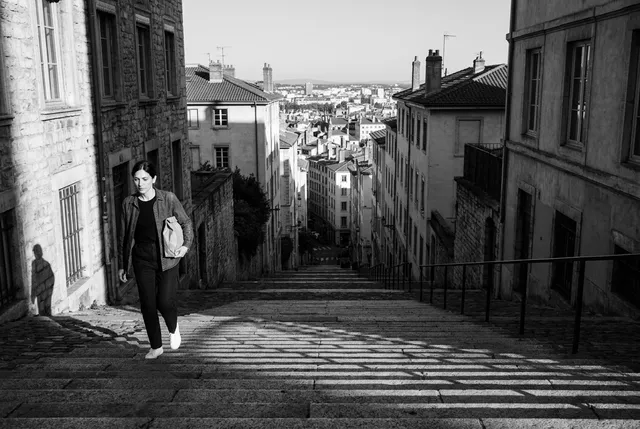
Wide
The place tells the story. The camera stands far back: the person fills a tenth of the frame or less and stands on a third line, with the street, the room or the view around them. Deep focus: the place is sharp too.
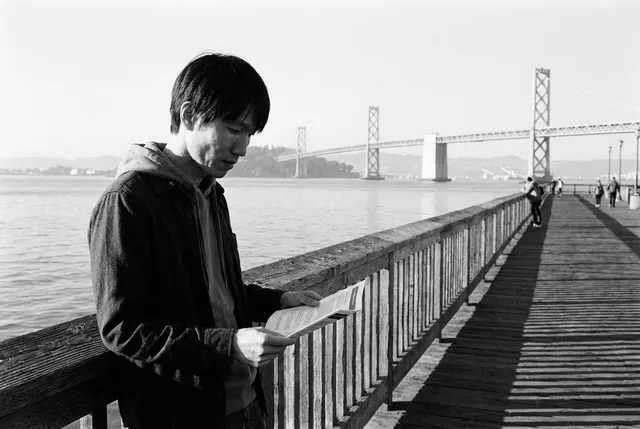
Medium
From the waist up, on a third line, with the open side of the frame in front of the person. Shallow focus on the person.

Close
The face and one hand fill the frame, cut at the shoulders, a little off-centre. The background is a soft blur.
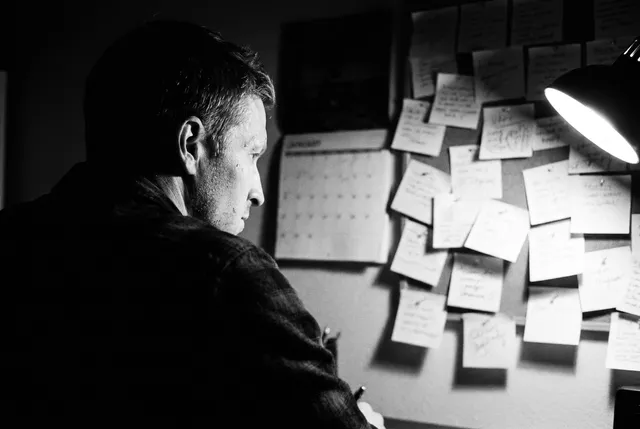
Over the shoulder
The camera stands just behind the person. Their shoulder and the side of their face fill one side of the frame, dark and close, and what they look at opens up on the other side.

Detail
The hands and the thing of the moment, such as a paper, a pen, a coffee or a phone held face down, fill the frame. The face is out of frame or cut at the chin.

Through a frame
The camera looks through a doorway, a window or past a blurred object in the foreground, so the person sits small inside a second frame, on a third line.
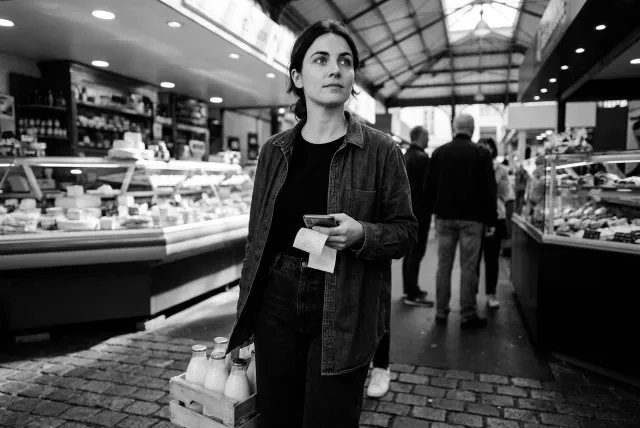
Centred
From the waist up, the face inside the centre 13% of the width, for a surface that crops to a narrow centre sliver with no face position, such as the home hero's day strip.
In every frame
Do: Always
Documentary photo, 35 mm, natural light. Pure black and white, deep blacks, one hard key light that casts real shadows (a low sun, a window or a lamp, never flat daylight), fine grain. The person stands off-centre on a third line unless the shot says otherwise, and their face stays clear of the outer edges and of the bottom third of the frame. The space around the person stays clear. In a public place, a few other people may appear far in the background: small, blurred, seen from the back or the side; nobody near the person, and nobody faces the camera.
3:2, 1280 × 856, lossy WebP under 100 KB, with a 640 px sibling
Don't: Never
- A readable screen
- Text of any kind, signs included
- A logo or a real brand name
- A sharp face other than the character's
- A pitch slide
- A sales smile
- A stock-photo office
- A personal object out of its place
Character sheets
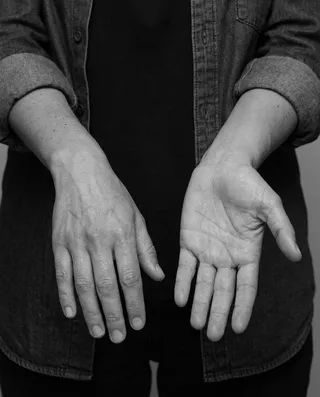
One sheet per recurring person. Every new photo of a character sends its sheet to the image model as references, so the face, the hair and the clothes stay the same.

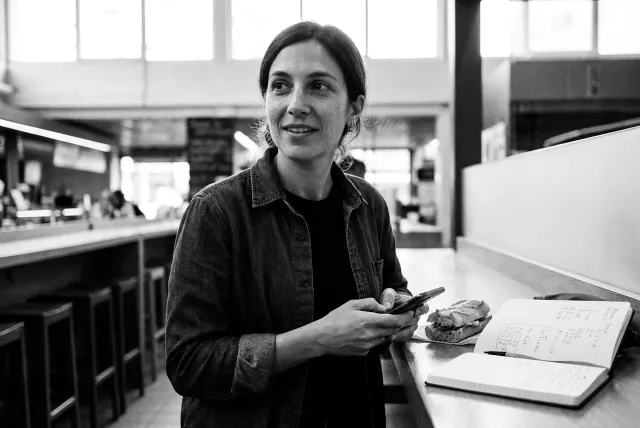
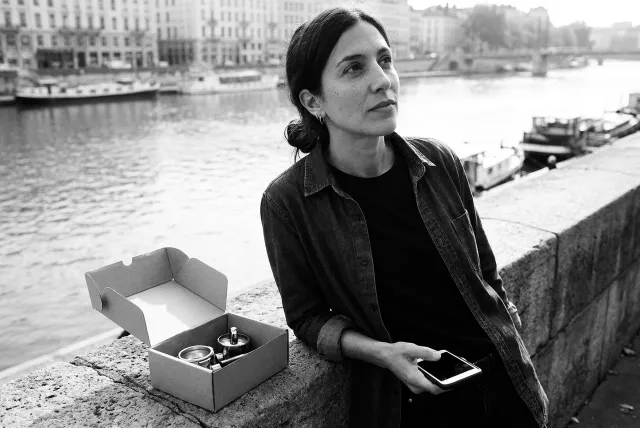
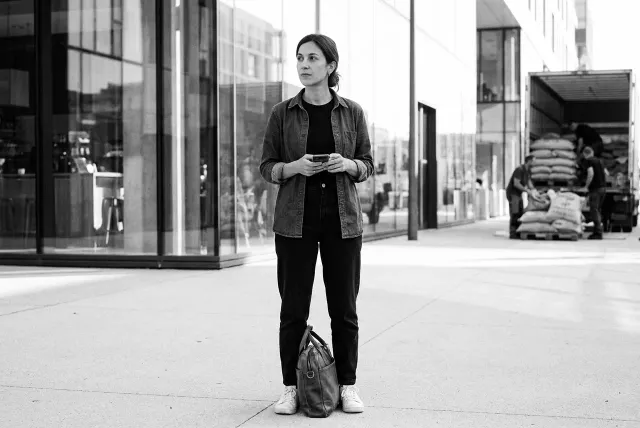
Camille
Café-roastery owner · Lyon · 31
- Dark brown hair in a loose low bun
- A few strands falling
- Oval face
- Straight dark brows
- A direct calm gaze
- No makeup
- Slim
- Average height
- Olive skin
- A few freckles
- Hair always in the low bun, never loose and never short.
- The overshirt stays open over the black t-shirt.
- No glasses, no hat, no visible tattoo.
- No coffee brand on a cup, a bag or a machine.
Face



Body

Details

Voice
How Well sounds across every surface, and the words it does not use.
Tone of voice
How Well sounds across every surface: marketing, product UI, docs, and AI-generated content. Use these rules to write copy that feels like Well.
Voice dimensions
Tone pillars
Clear & benefit-oriented
What it does + what problem it solves. No jargon. Lead with the outcome the reader cares about.
Tech-savvy but accessible
Modern, professional, no-BS. Written for builders. Technical concepts are welcomed but always grounded.
Smart & structured
Concrete metaphors (bridge, rail, protocol). Never pretentious. Precision over poetry.
Minimalist B2B
No hype. No forced emotion. Right message, right promise. Quiet confidence.
Personality
Intelligent, reliable, efficient, modern, approachable. Like a brilliant operations person who just handles things without drama.
Style rules
Short sentences. Active voice.
Show, don't tell. Lead with the outcome, not the feature.
Use concrete numbers and examples over abstract claims.
Sentence case everywhere: buttons, labels, headings, links.
Only capitalize the first word and proper nouns.
Word governance
Do: Use
Don't: Avoid
AI writing red flags
Do
Commas, periods, or colons
Start with the point
use, build, grow, support
Say what it actually does
Pick one accurate verb
Use a specific number or fact
State the positive directly
Don't
Em dashes (—)
Furthermore, Moreover, Additionally
delve, harness, leverage, foster
In today's fast-paced landscape…
streamline, optimize, and revolutionize
best-in-class, world-class, unparalleled
Not just X, but Y
Do and don't
Do
Your invoices handle themselves
Don't
Upload and extract invoices
Do
Give your AI agent access to your entire business
Don't
Integrate your tools
Do
Your business runs itself
Don't
Manage your data
Do
Conversational financial intelligence
Don't
Financial operations platform
Do
Talk to your money
Don't
Connect your bank
Applications
The brand on the listings around Well: social profiles and the Chrome Web Store.
Social media
The headers, banners and gallery images on Well's public profiles.
Web applications
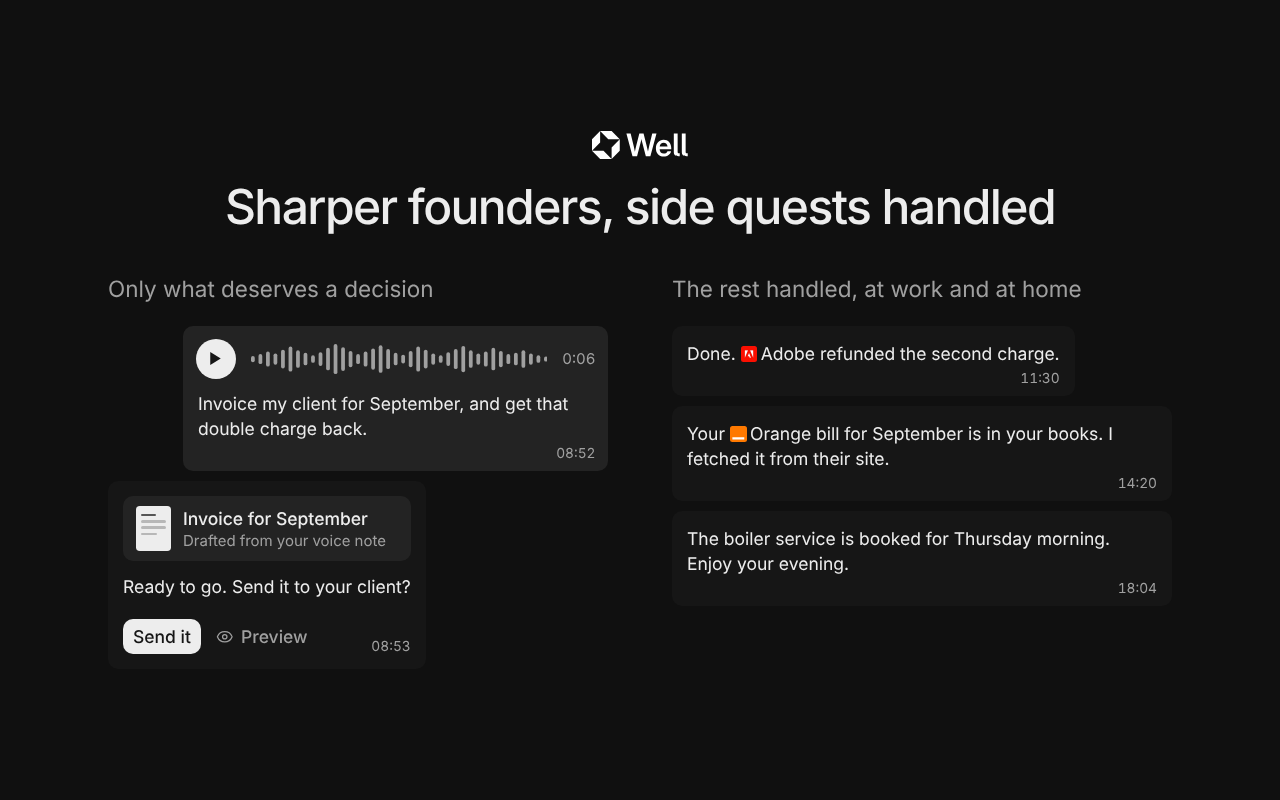
The Chrome Web Store listing: its screenshots and promo tiles.
Slack Marketplace
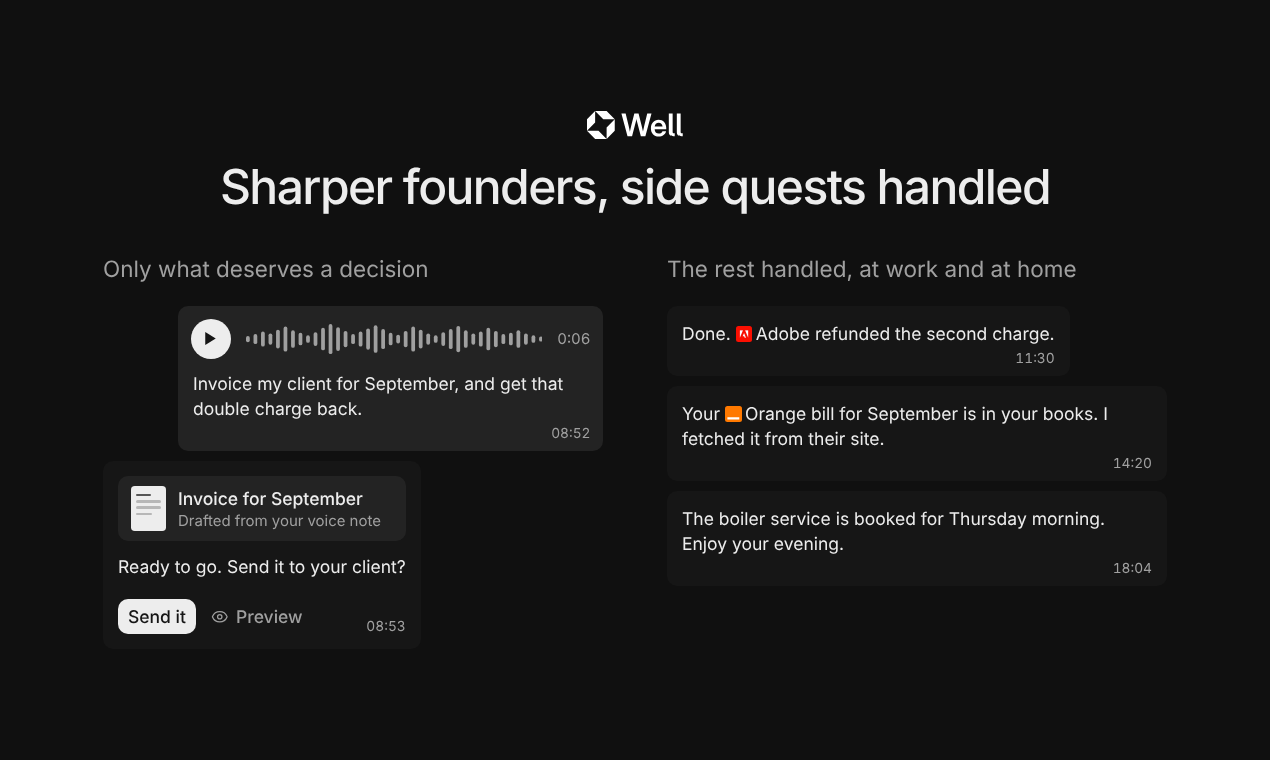
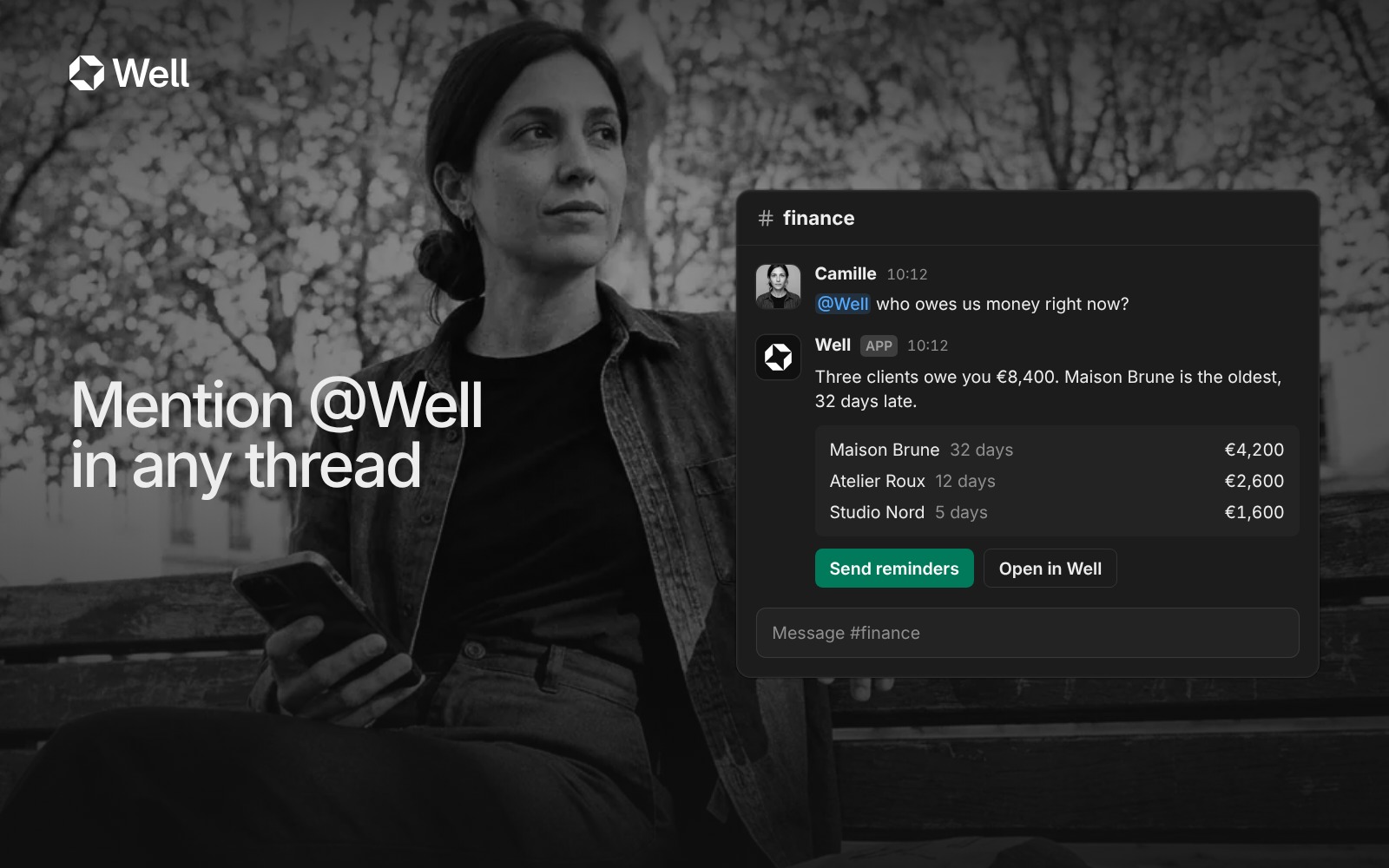
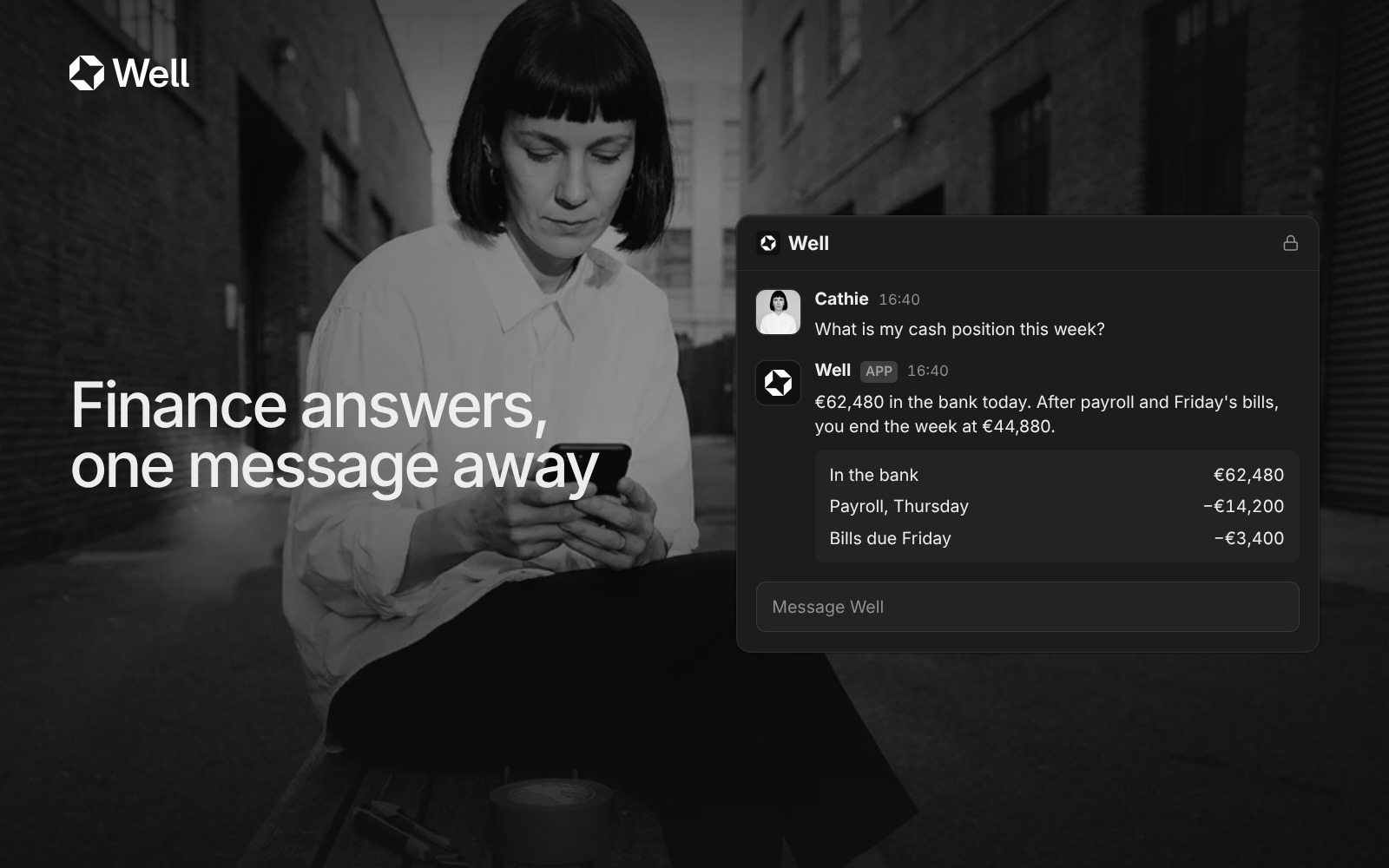
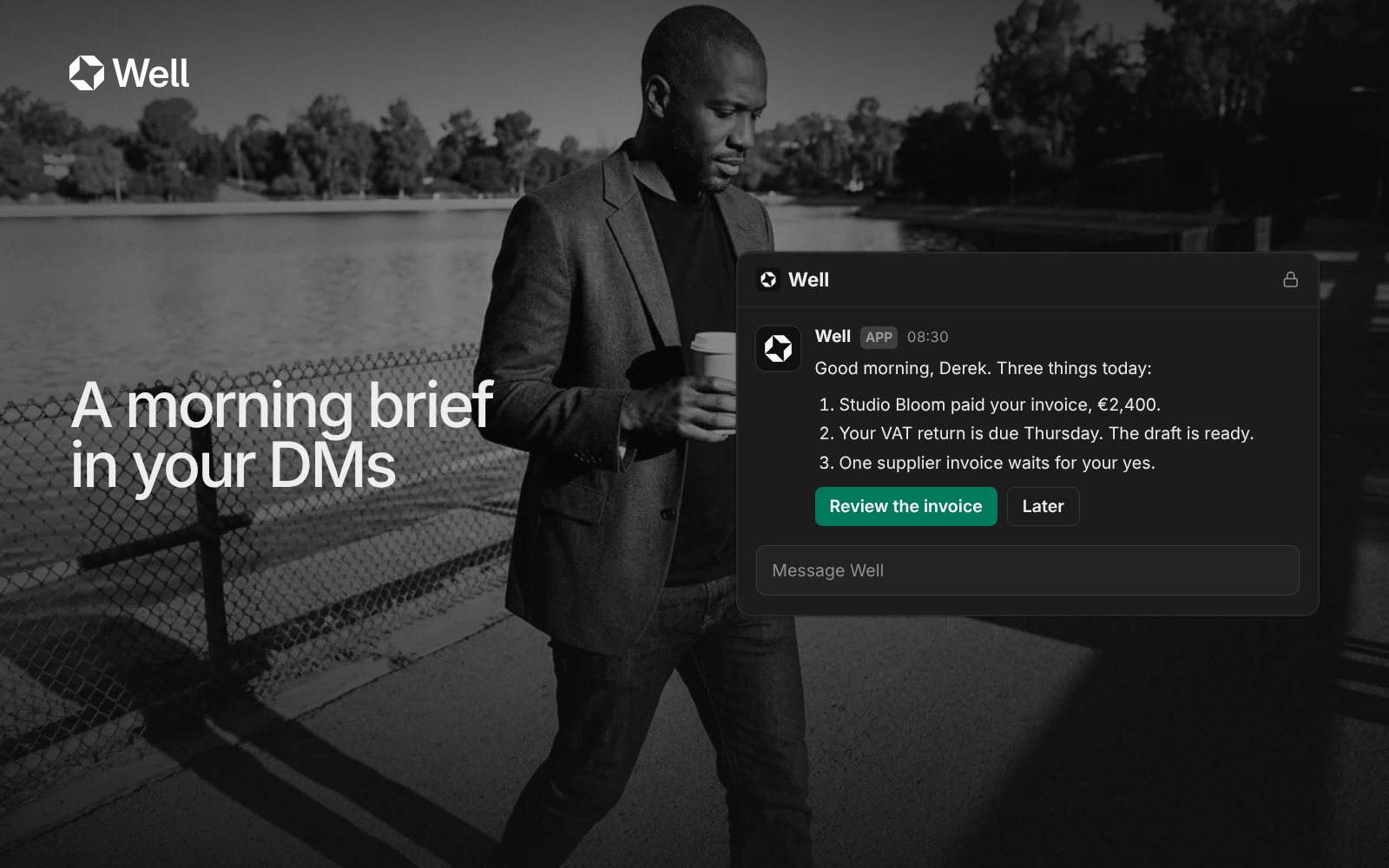
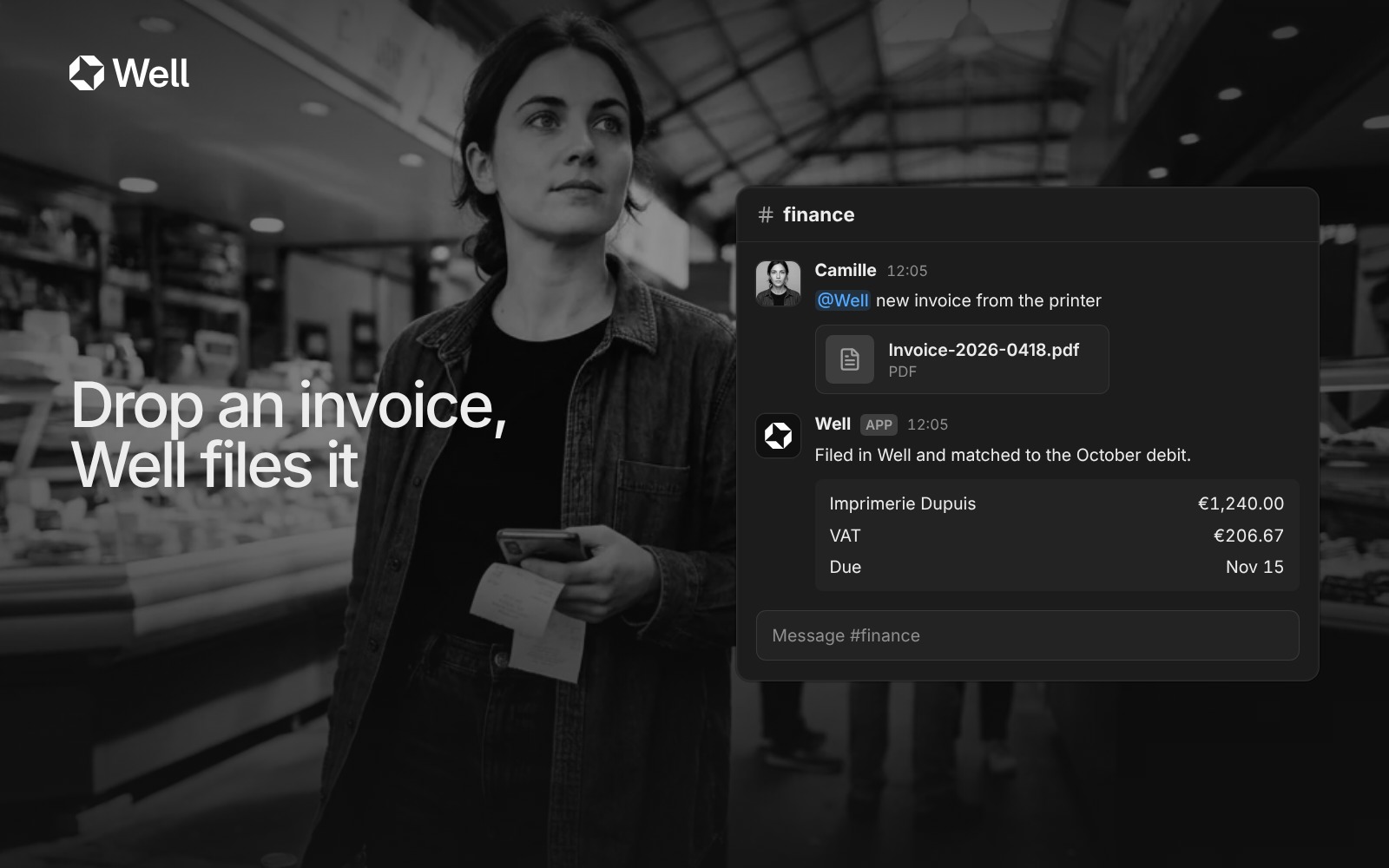
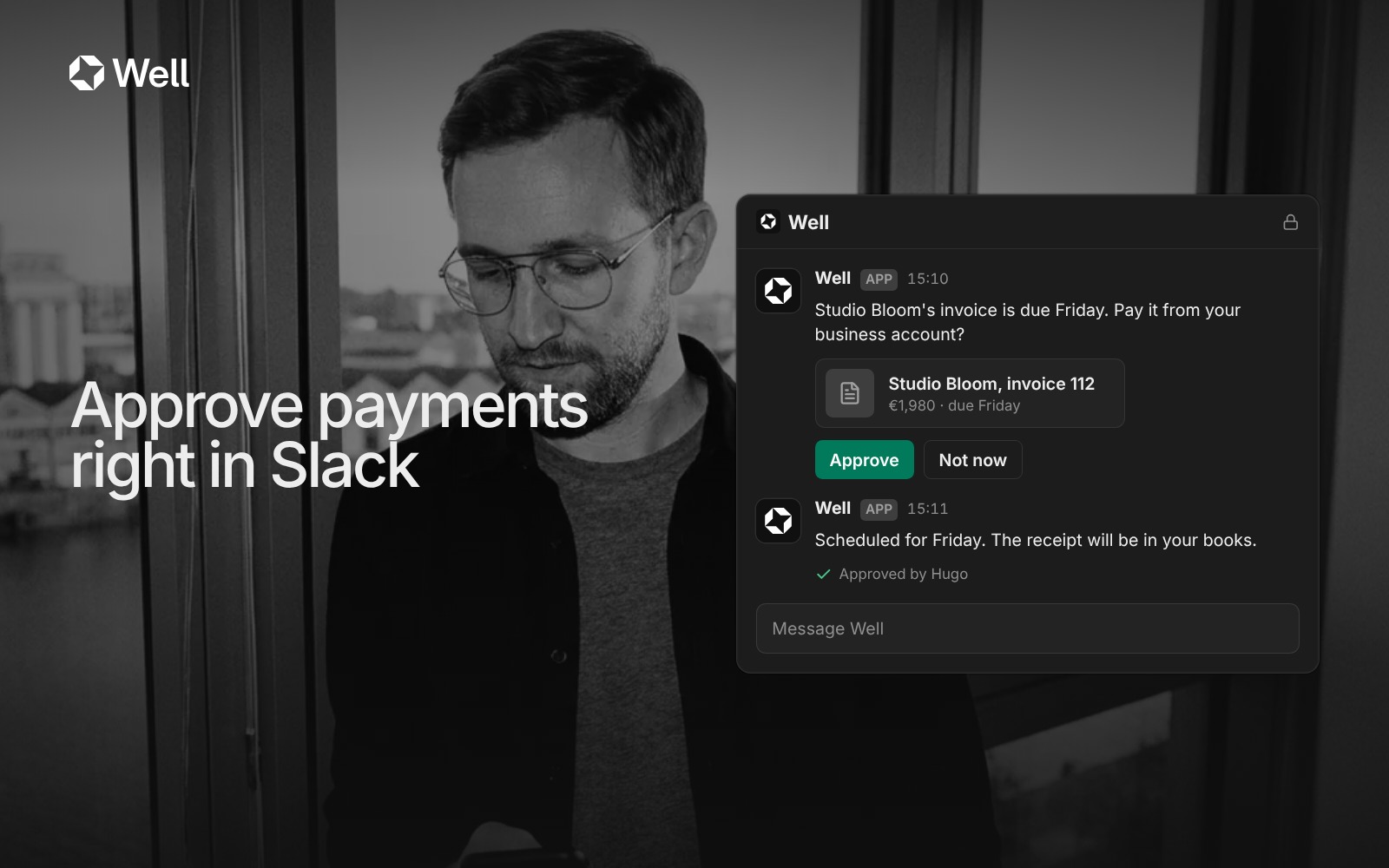
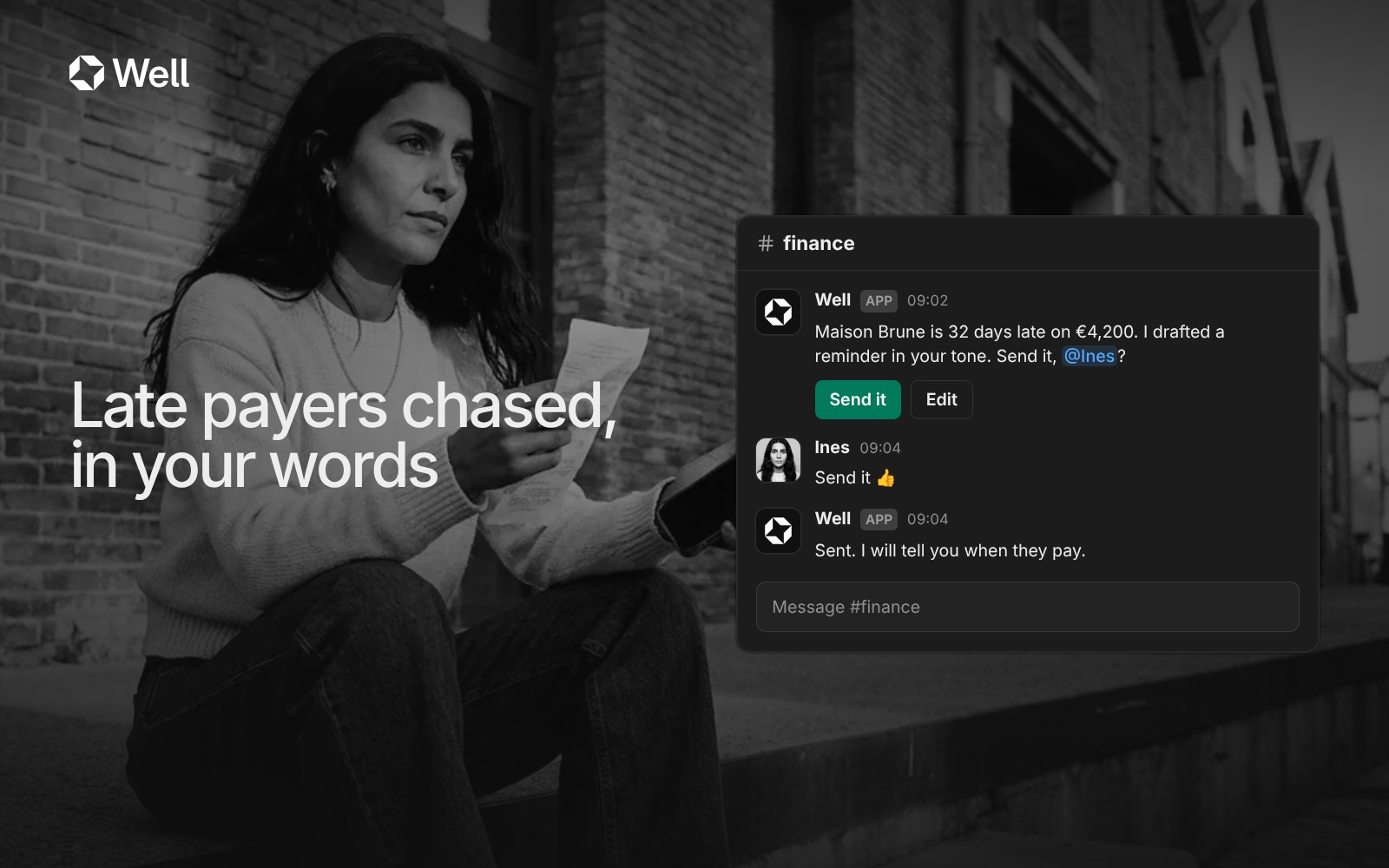
The Slack app's listing images: Well at work inside Slack, beside the people it works for.


 Adobe
Adobe Orange